
Logitech G Hardware
Sync your stream with Logitech G LIGHTSYNC technology. Control RGB lighting across keyboards, mice, headsets, and speakers with stream events and chat commands through FaustBot.
View Integration GuideWhat You Can Do With FaustBot
FaustBot provides deep integration with Logitech G LIGHTSYNC, giving you full control through actions, triggers, and scripting.
LIGHTSYNC Control
Keyboard Effects
Speaker Integration
Scripting Examples
# Set LIGHTSYNC colors on stream events
def Execute():
    event = CPH.GetArg("event")
    if event == "subscriber":
        CPH.LogitechSetColor("#00FF00")
        CPH.LogitechApplyEffect("Pulse")
    elif event == "raid":
        CPH.LogitechSetColor("#FF00FF")
        CPH.LogitechApplyEffect("Wave")
    return True
# Keyboard lighting based on game events
def Execute():
zone = CPH.GetArg("zone")
CPH.LogitechSetKeyZone(zone, "#FF5500")
CPH.LogitechApplyEffect("Breathing", zone)
CPH.Wait(3000)
CPH.LogitechResetZone(zone)
return True# Sync G560 speakers with stream alerts
def Execute():
alert_type = CPH.GetArg("type")
if alert_type == "donation":
CPH.LogitechG560SetColor("#FFD700")
CPH.LogitechG560EnableVisualizer(True)
CPH.Wait(5000)
CPH.LogitechG560EnableVisualizer(False)
return TrueKeyboards
Logitech G mechanical keyboards with LIGHTSYNC RGB technology.

G915 LIGHTSPEED
Wireless low-profile mechanical keyboard with advanced LIGHTSYNC.
- Low-profile GL switches
- LIGHTSPEED wireless
- Per-key LIGHTSYNC RGB
- 30+ hour battery

G915 TKL
Compact wireless mechanical keyboard with premium design.
- Tenkeyless design
- LIGHTSPEED wireless
- Per-key RGB lighting
- 40-hour battery

G715
Wireless gaming keyboard with cloud-soft palm rest.
- GX mechanical switches
- LIGHTSPEED + Bluetooth
- Cloud palm rest
- Per-key RGB

G Pro X
Pro-grade tenkeyless keyboard with swappable switches.
- Hot-swappable switches
- Compact TKL design
- LIGHTSYNC RGB
- Detachable cable
FaustBot Integration for Keyboards
FaustBot provides full LIGHTSYNC RGB control and G-key macro triggers for Logitech G keyboards, enabling dynamic lighting effects synced to stream events and programmable hotkeys.
Actions
- Set Keyboard Color Apply solid colors or gradients across the entire keyboard
- Set Key Zone Control lighting for specific key zones (WASD, function row, numpad)
- Apply Effect Trigger wave, breathing, color cycle, and reactive effects
- Set Per-Key RGB Individual key color control for custom layouts
Triggers
- G-Key Pressed Fires when any programmable G-key is pressed
- G-Key Released Fires when a G-key is released for hold-based actions
- Profile Changed Detects when G Hub profile switches
Example Use Cases
# Flash keyboard on new subscriber
def Execute():
    CPH.LogitechSetKeyboardColor("#00FF00")
    CPH.LogitechApplyEffect("Pulse", 3)
    CPH.Wait(2000)
    CPH.LogitechResetKeyboard()
    return True
# G-key stream controls
def Execute():
key = CPH.GetArg("gKey")
if key == "G1":
CPH.ObsSetScene("Starting Soon")
elif key == "G2":
CPH.ObsSetScene("Main Gameplay")
elif key == "G3":
CPH.TwitchSendMessage("Thanks for watching!")
return TrueGaming Mice
Precision gaming mice with HERO sensors and LIGHTSYNC RGB.

G Pro X Superlight 2
Ultra-lightweight wireless mouse for esports.
- 60g ultra-lightweight
- HERO 2 sensor
- LIGHTSPEED wireless
- 95-hour battery

G502 X Plus
Premium wireless gaming mouse with LIGHTFORCE switches.
- LIGHTFORCE hybrid switches
- HERO 25K sensor
- LIGHTSYNC RGB
- Adjustable weight

G502 HERO
High-performance gaming mouse with advanced HERO 25K sensor.
- HERO 25K sensor
- 11 programmable buttons
- Adjustable weight
- LIGHTSYNC RGB

G705
Wireless gaming mouse designed for smaller hands.
- Contoured design
- LIGHTSPEED + Bluetooth
- 6 programmable buttons
- LIGHTSYNC RGB

G309 LIGHTSPEED
Ultra-lightweight wireless mouse with HERO 25K sensor.
- 68g lightweight
- HERO 25K sensor
- LIGHTSPEED wireless
- 300-hour battery
FaustBot Integration for Gaming Mice
FaustBot enables RGB lighting control and programmable button triggers for Logitech G mice, letting you react to stream events with visual feedback and create custom button shortcuts.
Actions
- Set Mouse Color Change the RGB lighting color on supported mice
- Apply Mouse Effect Trigger breathing, color cycle, or solid effects
- Set Logo Color Control the G logo lighting separately
- Set DPI Indicator Change DPI zone colors for visual feedback
Triggers
- Mouse Button Pressed Fires when programmable mouse buttons are clicked
- Mouse Button Released Detects button release for toggle actions
- DPI Changed Triggers when DPI setting is adjusted
Example Use Cases
# Pulse mouse RGB on donation
def Execute():
    amount = CPH.GetArg("donationAmount")
    if amount >= 10:
        CPH.LogitechSetMouseColor("#FFD700")
        CPH.LogitechApplyMouseEffect("Pulse", 5)
    else:
        CPH.LogitechSetMouseColor("#00FF00")
        CPH.LogitechApplyMouseEffect("Pulse", 2)
    return True
# Mouse button scene switcher
def Execute():
button = CPH.GetArg("button")
if button == "G4":
CPH.ObsToggleSource("Webcam", True)
elif button == "G5":
CPH.ObsToggleSource("Webcam", False)
return TrueHeadsets
Gaming headsets with LIGHTSYNC RGB and premium audio.
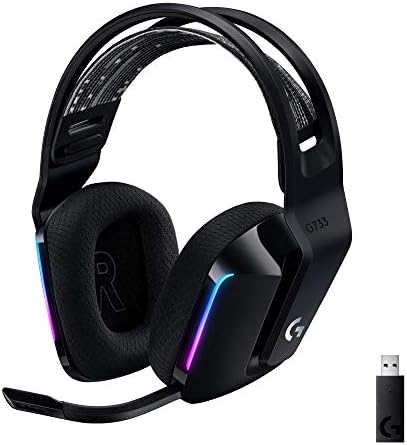
G733 LIGHTSPEED
Wireless gaming headset with customizable LIGHTSYNC RGB.
- Front-facing LIGHTSYNC
- LIGHTSPEED wireless
- PRO-G 40mm drivers
- 29-hour battery

G Pro X 2 LIGHTSPEED
Pro-grade wireless headset with graphene drivers.
- PRO-G graphene drivers
- DTS Headphone:X 2.0
- Blue VO!CE mic
- 50-hour battery

G535 LIGHTSPEED
Lightweight wireless headset for all-day comfort.
- 236g lightweight
- LIGHTSPEED wireless
- 33-hour battery
- Flip-to-mute mic
FaustBot Integration for Headsets
FaustBot controls LIGHTSYNC RGB on compatible Logitech G headsets, allowing you to sync headset lighting with stream events for a fully immersive setup.
Actions
- Set Headset Color Change RGB lighting on headsets with LIGHTSYNC (G733)
- Apply Headset Effect Trigger color cycle, breathing, or solid effects
- Set Brightness Adjust headset RGB brightness level
- Sync With Audio Enable audio-reactive lighting mode
Triggers
- Headset Connected Fires when headset is powered on or connected
- Headset Disconnected Detects when headset is turned off
- Mic Muted Triggers when microphone is muted/unmuted
Example Use Cases
# Color headset based on stream status
def Execute():
    isLive = CPH.GetArg("isLive")
    if isLive:
        CPH.LogitechSetHeadsetColor("#FF0000")
    else:
        CPH.LogitechSetHeadsetColor("#0066FF")
    return True
# Flash headset on raid
def Execute():
raiders = CPH.GetArg("raiders")
if raiders >= 50:
CPH.LogitechSetHeadsetColor("#FF00FF")
CPH.LogitechApplyHeadsetEffect("Pulse", 10)
return TrueSpeakers
Gaming speakers with immersive LIGHTSYNC RGB.

G560 LIGHTSYNC
Gaming speakers with screen-based LIGHTSYNC lighting.
- 240W peak power
- DTS:X Ultra surround
- Game-driven LIGHTSYNC
- Bluetooth + USB
FaustBot Integration for Speakers
FaustBot provides full RGB control for the G560 LIGHTSYNC speakers, enabling screen sampling, audio visualization, and custom lighting effects synced to your stream.
Actions
- Set Speaker Color Apply solid colors to the G560 rear lighting
- Enable Screen Sampler Sync speaker lighting to on-screen content
- Enable Audio Visualizer React lighting to audio output levels
- Apply Speaker Effect Trigger color cycle, breathing, or wave effects
Triggers
- Audio Level Changed Fires based on speaker output volume levels
- Speaker Connected Detects when G560 is powered on
- Mode Changed Triggers when lighting mode switches
Example Use Cases
# Sync speakers with stream alerts
def Execute():
    alert = CPH.GetArg("alertType")
    if alert == "subscriber":
        CPH.LogitechG560SetColor("#00FF00")
        CPH.LogitechG560ApplyEffect("Pulse", 3)
    elif alert == "donation":
        CPH.LogitechG560SetColor("#FFD700")
        CPH.LogitechG560EnableVisualizer(True)
        CPH.Wait(5000)
        CPH.LogitechG560EnableVisualizer(False)
    return True
# Game-reactive speaker lighting
def Execute():
scene = CPH.GetArg("obsScene")
if scene == "Gameplay":
CPH.LogitechG560EnableScreenSampler(True)
else:
CPH.LogitechG560EnableScreenSampler(False)
CPH.LogitechG560SetColor("#6366F1")
return TrueRGB Accessories
Complete your setup with LIGHTSYNC-enabled accessories.
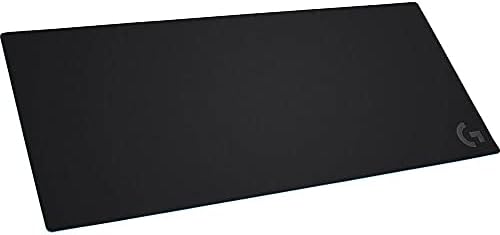
G840 XL Gaming Mouse Pad
Extra-large cloth gaming mouse pad.
- XL desk coverage
- Consistent surface texture
- Rubber base
- Moderate friction

POWERPLAY Wireless Charging
Wireless charging mouse pad with LIGHTSYNC.
- Continuous wireless charging
- LIGHTSYNC RGB
- Cloth or hard surface
- Compatible with G Pro/G502
FaustBot Integration for RGB Accessories
FaustBot integrates with Logitech G accessories including the POWERPLAY wireless charging pad, providing RGB control and status monitoring for a unified lighting ecosystem.
Actions
- Set Mousepad Color Control POWERPLAY RGB border lighting
- Apply Mousepad Effect Trigger wave, breathing, or color cycle effects
- Sync All Devices Coordinate lighting across all connected Logitech G gear
- Set Brightness Adjust overall LIGHTSYNC brightness
Triggers
- Mouse Docked Fires when mouse is placed on POWERPLAY pad
- Mouse Undocked Detects when mouse is lifted from pad
- Battery Level Triggers at configurable battery thresholds
Example Use Cases
# Unified lighting on stream start
def Execute():
    CPH.LogitechSetAllDevicesColor("#6366F1")
    CPH.LogitechApplyAllDevicesEffect("Wave", 2)
    CPH.Wait(3000)
    CPH.LogitechSetAllDevicesColor("#00FF00")
    return True
# Battery warning indicator
def Execute():
battery = CPH.GetArg("batteryLevel")
if battery <= 20:
CPH.LogitechSetMousepadColor("#FF0000")
CPH.LogitechApplyMousepadEffect("Breathing", 0)
elif battery <= 50:
CPH.LogitechSetMousepadColor("#FFAA00")
return TrueReady to Connect Your Logitech G Gear?
FaustBot makes it easy to integrate all your Logitech G hardware into powerful stream automations.